


GEO is how your content gets cited by AI models like ChatGPT, Gemini, and Perplexity, not just ranked on Google. This guide breaks down how to structure content for AI citations, how GEO compares with SEO and AEO, what tools to use, and how Knolli helps you generate GEO-first articles and monetizable copilots.
Table of Contents
- What Is GEO & Why Does It Matter
- GEO vs SEO vs AEO
- Case Study: Before & After Optimization
- How to Add Schema & llms.txt for Better GEO Ranking
- How Knolli Helps You Win GEO
- GEO-Optimized Content Creation with Knolli vs ChatGPT
- Prompt Engineering Tips for GEO
- What GEO-Bench Metrics Tell Us
- GEO Tools Compared: ChatGPT vs Knolli
- Emerging GEO Trends in 2025
- Risks & Ethical Red Flags
- What To Do Now vs Later
- FAQ
What Is GEO & Why Does It Matter
Generative Engine Optimization (GEO) is the new frontier of search visibility.
Instead of blue links or featured snippets, your goal is to be quoted by AI models.
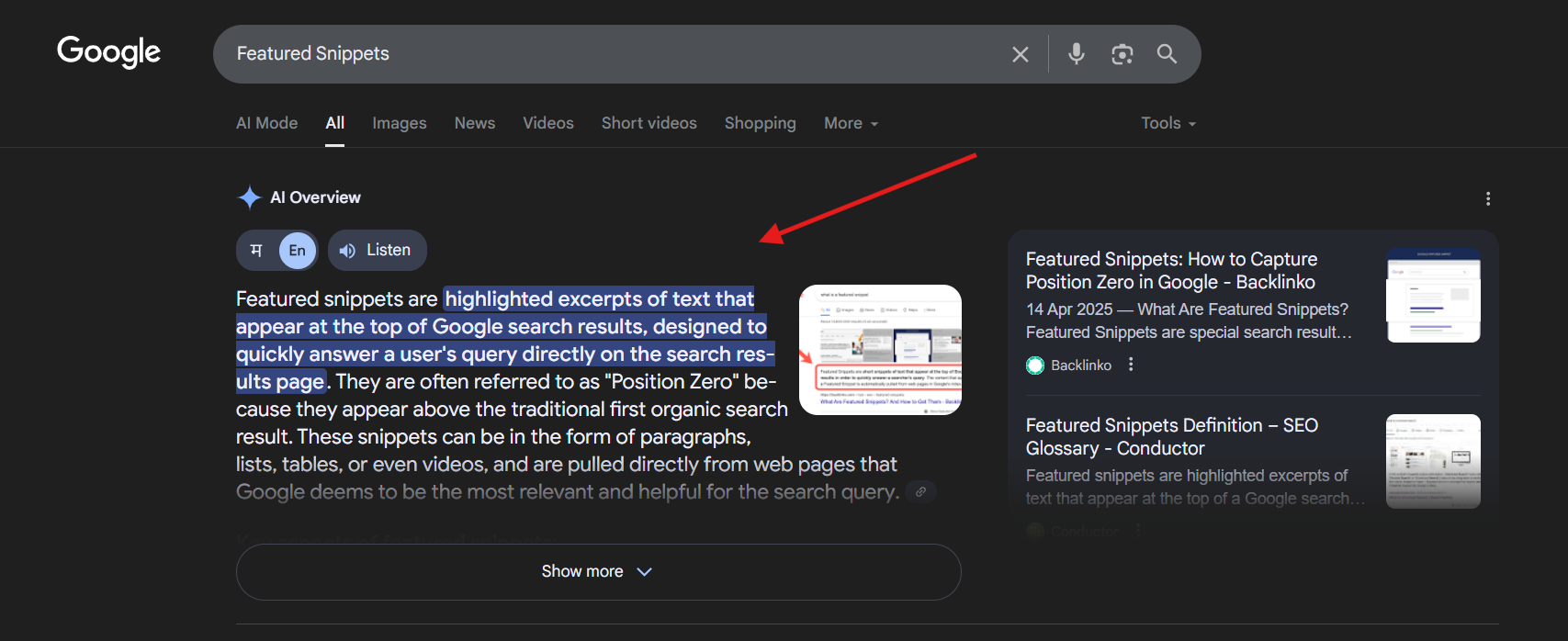
GEO means:
- Showing up in ChatGPT browsing answers
- Appearing in Gemini and Perplexity results
- Fueling Google’s AI Overviews
Stat: According to Writesonic, over 13M users in the U.S. now prefer AI tools over Google for search.
If your content isn’t designed for LLMs to parse, you’re invisible.
GEO vs SEO vs AEO
| Feature | SEO (Then) | AEO (Now) | GEO (Next) |
|---|---|---|---|
| Platform | Google, Bing | Google Snippets, Alexa | ChatGPT, Gemini, Perplexity |
| Goal | Get clicks | Appear in the featured box | Be cited in AI answers |
| Format | Keywords, backlinks | FAQ schema, summaries | TL; DRs, prompt headers, schema |
| Monetize | AdSense, affiliate | Same | Subscriptions, copilots (via Knolli) |
Case Study: Before & After Optimization
Original Article: Content Monetization Platforms: Strategy & Examples
Ranked on Google, but never cited by ChatGPT or Perplexity.
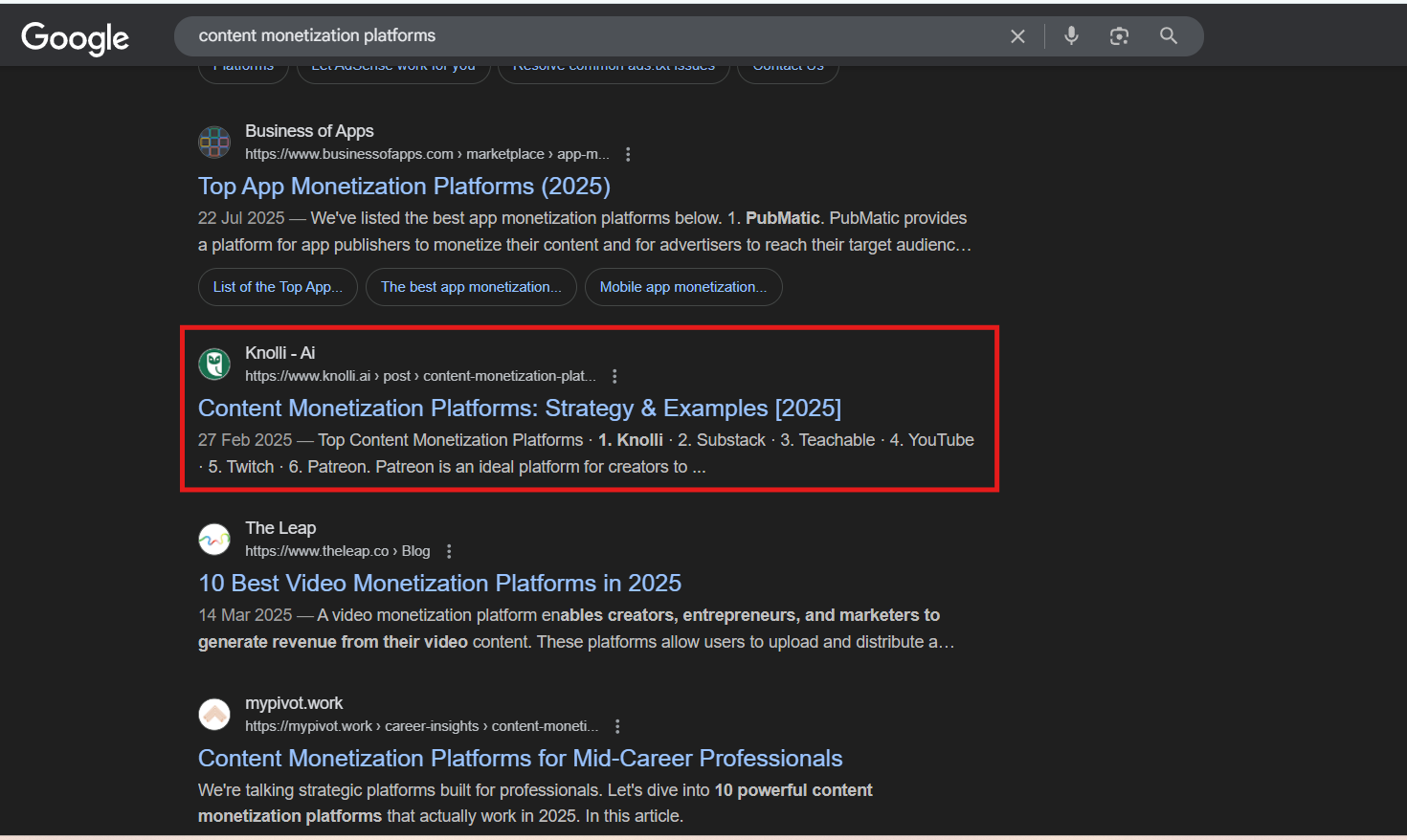
After GEO Optimization:
- Added TL;DR
- Rewrote H2s as prompts
- Included stats + outbound links
- Embedded schema + published llms.txt
Result:
Cited in Perplexity. Appeared in ChatGPT’s browsing output in <2 weeks.
How to Add Schema & llms.txt for Better GEO Ranking
Want your blog to show up in ChatGPT, Perplexity, or Google’s AI Overviews?
It’s not just about writing good content anymore. You need to format it for machines. Two minor tweaks to the embedded schema and llms.txt can make a big difference.
Step 1: Add Embedded FAQ Schema
The FAQ Page schema helps AI models understand your content structure. It’s one of the most GEO-friendly formats available.
Why Use FAQ Schema?
- Boosts visibility in Google AI Overviews
- Helps ChatGPT, Claude, and Perplexity pull structured answers
- Makes your content more machine-readable for summarization
Instructions:
Wrap this inside a<script type=”application/ld+json”> … </script> tag before publishing.
OR
Use a schema plugin (e.g., RankMath, Yoast) if you’re on WordPress
If you’re in Webflow: paste this into the Custom Code → Footer or CMS template <head> section
    <script type="application/ld+json">

    {

      "@context": "https://schema.org",

      "@type": "FAQPage",

      "mainEntity": [

        {

          "@type": "Question",

          "name": "What is Generative Engine Optimization (GEO)?",

          "acceptedAnswer": {

            "@type": "Answer",

            "text": "GEO is the process of optimizing your content to be cited, summarized, or quoted by generative AI like ChatGPT, Gemini, or Perplexity."

          }

        }

      ]

    }

    </script>
Step 2: Create an llms.txt File
Think of llms.txt as the robots.txt for LLMs. It tells generative AI what to index, learn from, and cite.
Why It Matters:
- LLMs like Perplexity and Claude already respect it
- Improves attribution and fairness
- Helps your best pages get cited more often
Instructions:
- Open your website root directory (same place as robots.txt)
- Create a new text file named llms.txt
- Add clean URLs of the pages you want cited.
- Upload it to: https://yoursite.com/llms.txt
Example:
# Suggested Pages for AI Indexing
https://yoursite.com/blog/what-is-geo
https://yoursite.com/resources/geo-playbook
https://yoursite.com/faqs/geo-for-teams
https://yoursite.com/copilot/seo-copilot
Tools to Check:
- Open https://yoursite.com/llms.txt in your browser
- Watch for crawlers like GPTBot (a web crawler developed by OpenAI to gather publicly available data from the internet) pinging that file.
Pro Tip: Want to scale this?
You can even create a GEO article generator on Knolli that formats posts automatically with FAQ schema and adds your content to a monetizable AI co-pilot. That means you can rank and get paid for what you teach.
See More: Top 10 Content Monetization Platforms for Creators in 2025
How Knolli Helps You Win GEO
Knolli is your AI-trained content engine built for GEO visibility and monetization.
Use Knolli in Two Powerful Ways:
Create a Geo-Optimized Article Generator
Build blog content with:
- TL;DRs
- Prompt-based headers (H2s = user queries)
- Embedded schema markup
- Linked sources & citations
- Structured FAQs
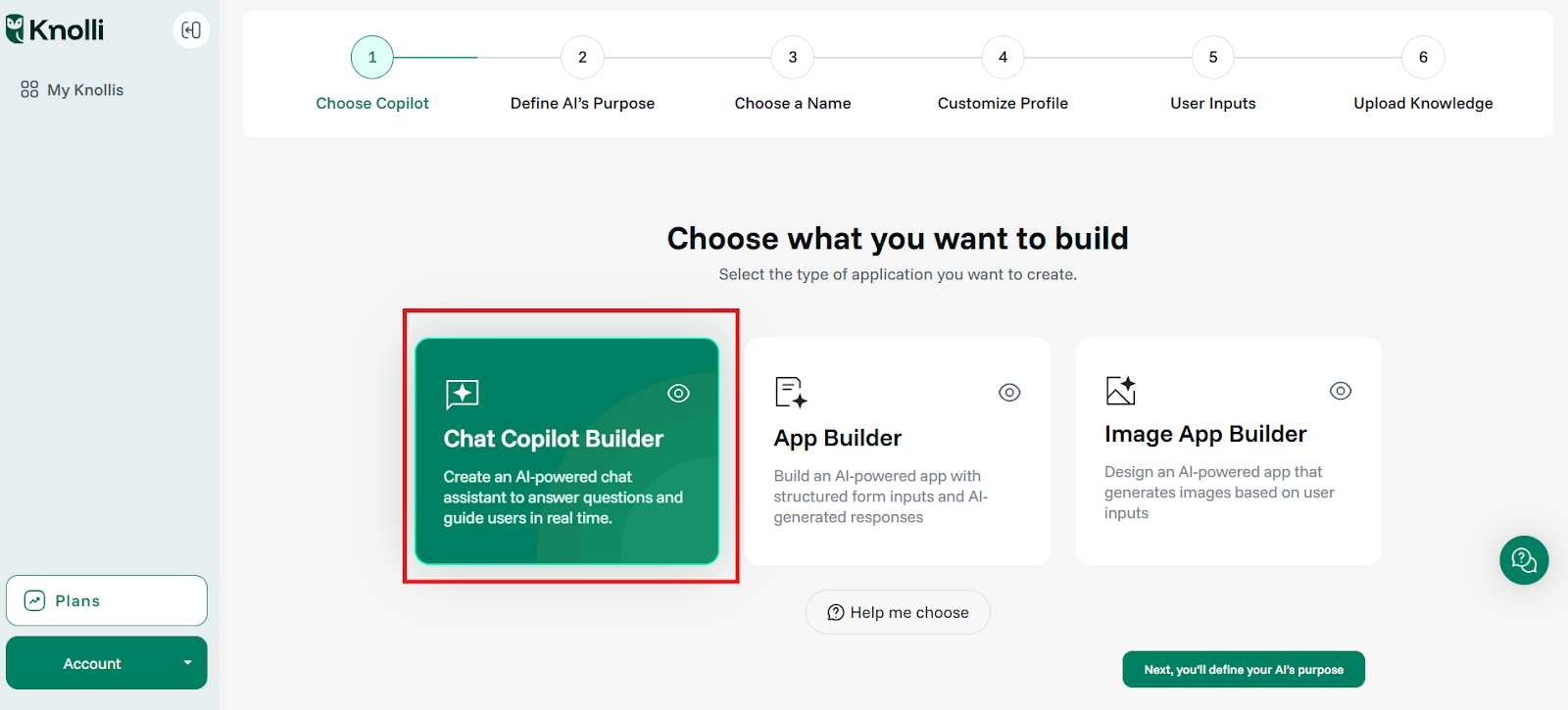
Step 1: Click on Copilot Builder to create a GEO-Optimized Article Generator
Perfect for:
- SEO teams
- Editorial teams
- Content marketing agencies
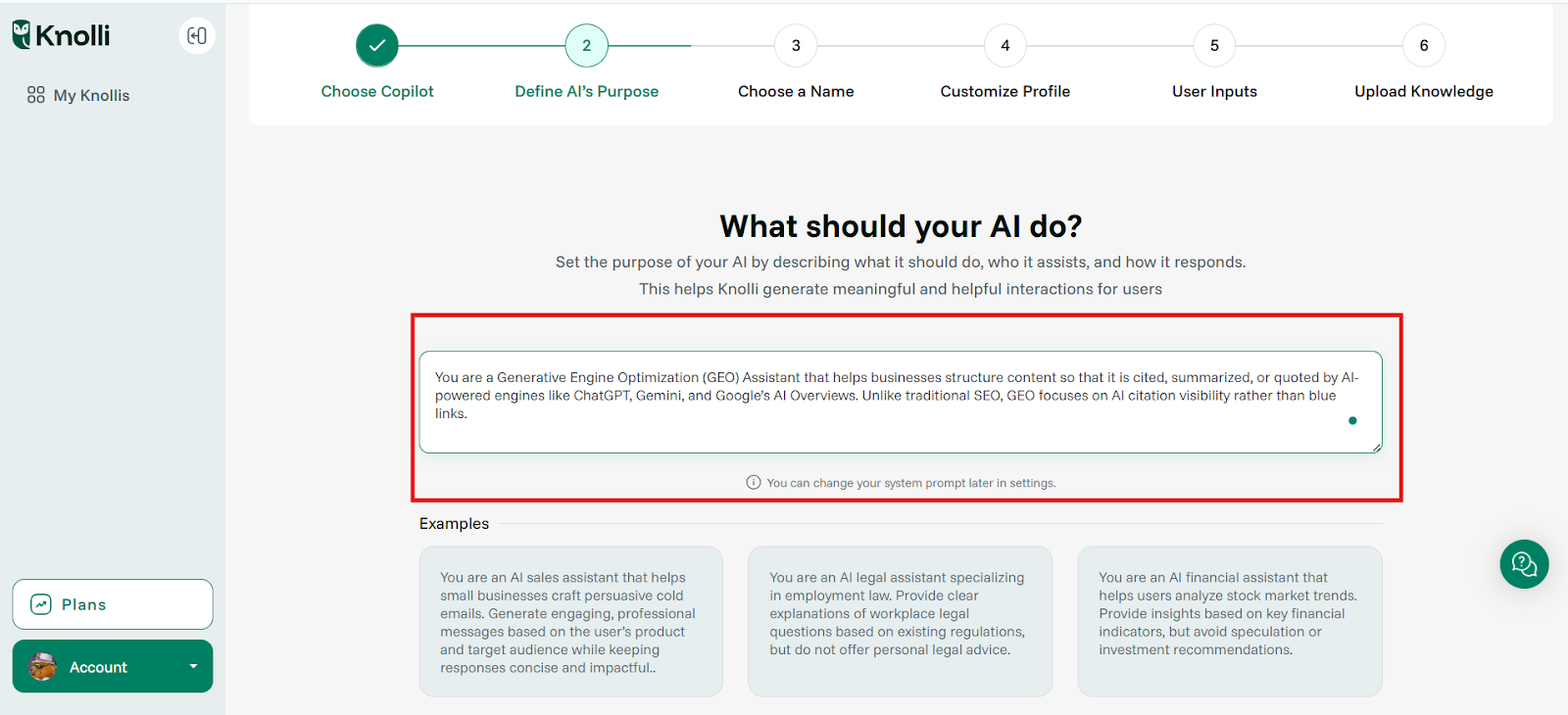
Step 2: Set the purpose of your Copilot by describing what it should do, who it assists, and how it responds.
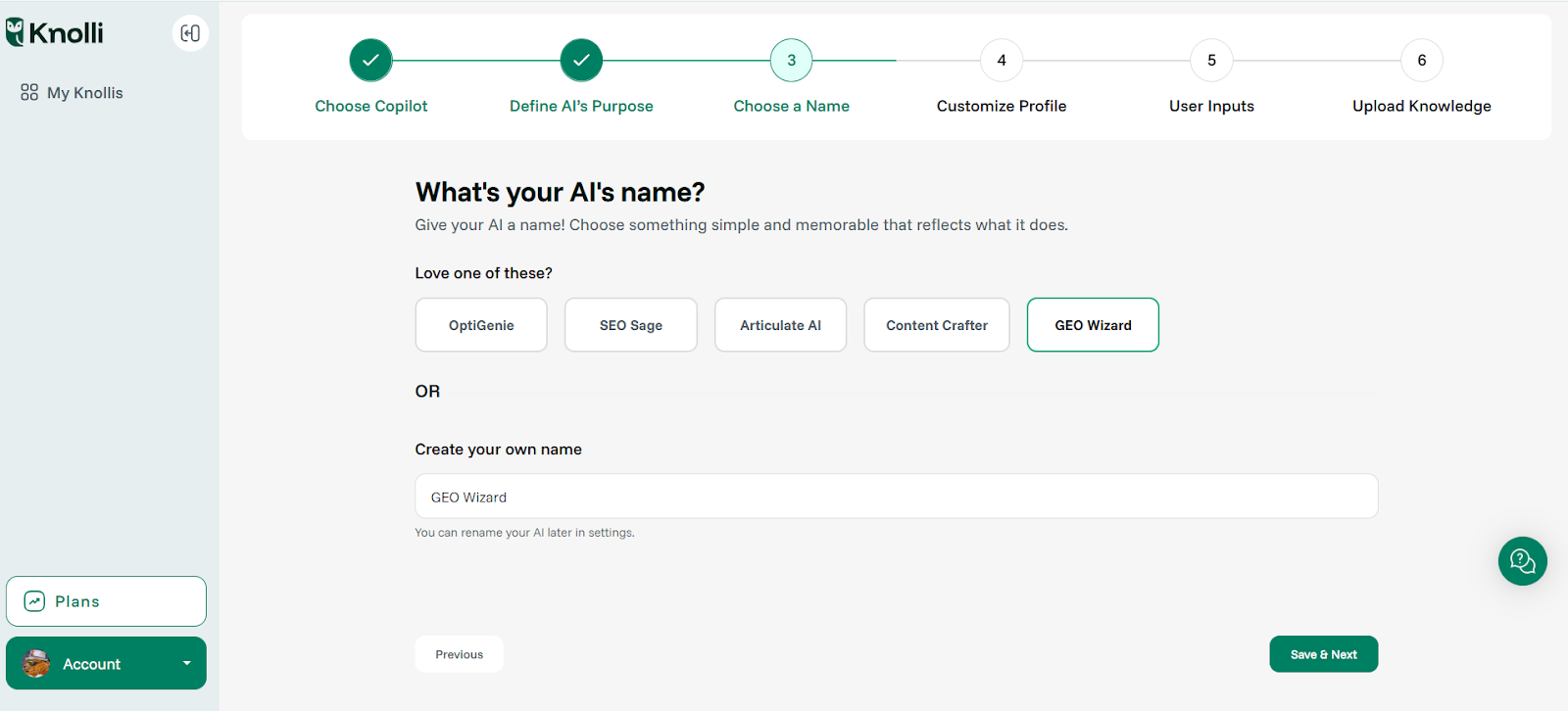
Step 3: Choose a name for your Copilot
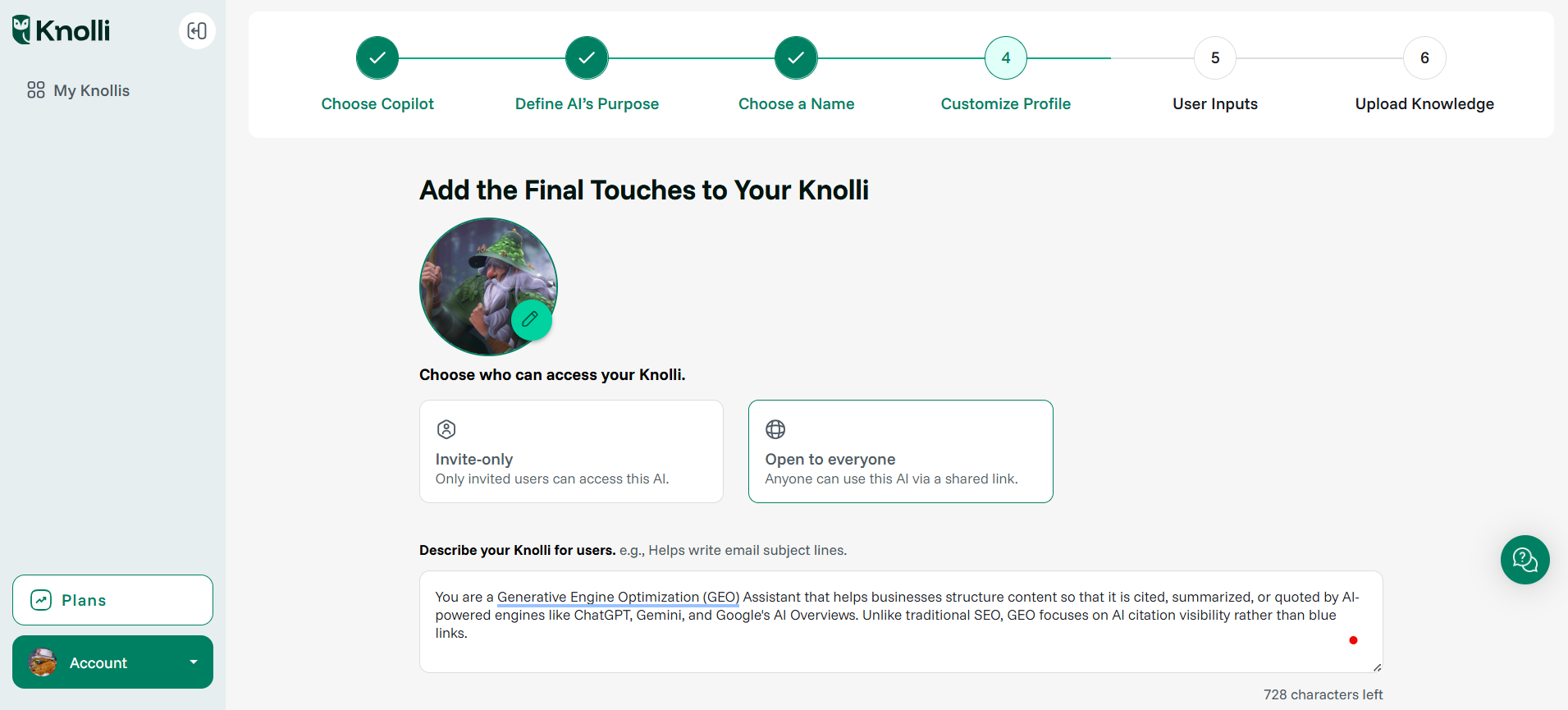
Step 4: Customize Your Knolli Profile
This is where your Knolli Copilot begins to feel truly yours.
- Upload a profile picture to give your Knolli a distinct identity, whether it’s your company logo, your mascot, or a thematic avatar.
- Control access settings:
- Invite-only: Only specific users (your team, clients, or collaborators) can use this Knolli.
- Open to everyone: Make it a discoverable Knolli, visible and usable by the public.
→ Ideal if you plan to Launch a Monetizable GEO AI Assistant
With Knolli, you can:
- Upload blogs, research, docs, SOPs
- Train your AI Copilot on your content
- Let it answer questions 24/7
- Gate access (Stripe/pay-per-chat)
- Track usage and update knowledge live
Tip: If you’re creating a monetized Knolli, setting it to “Open to everyone” lets you share the AI assistant/Copilot via a public link, embed it on your site, and even enable subscriptions or pay-per-chat.
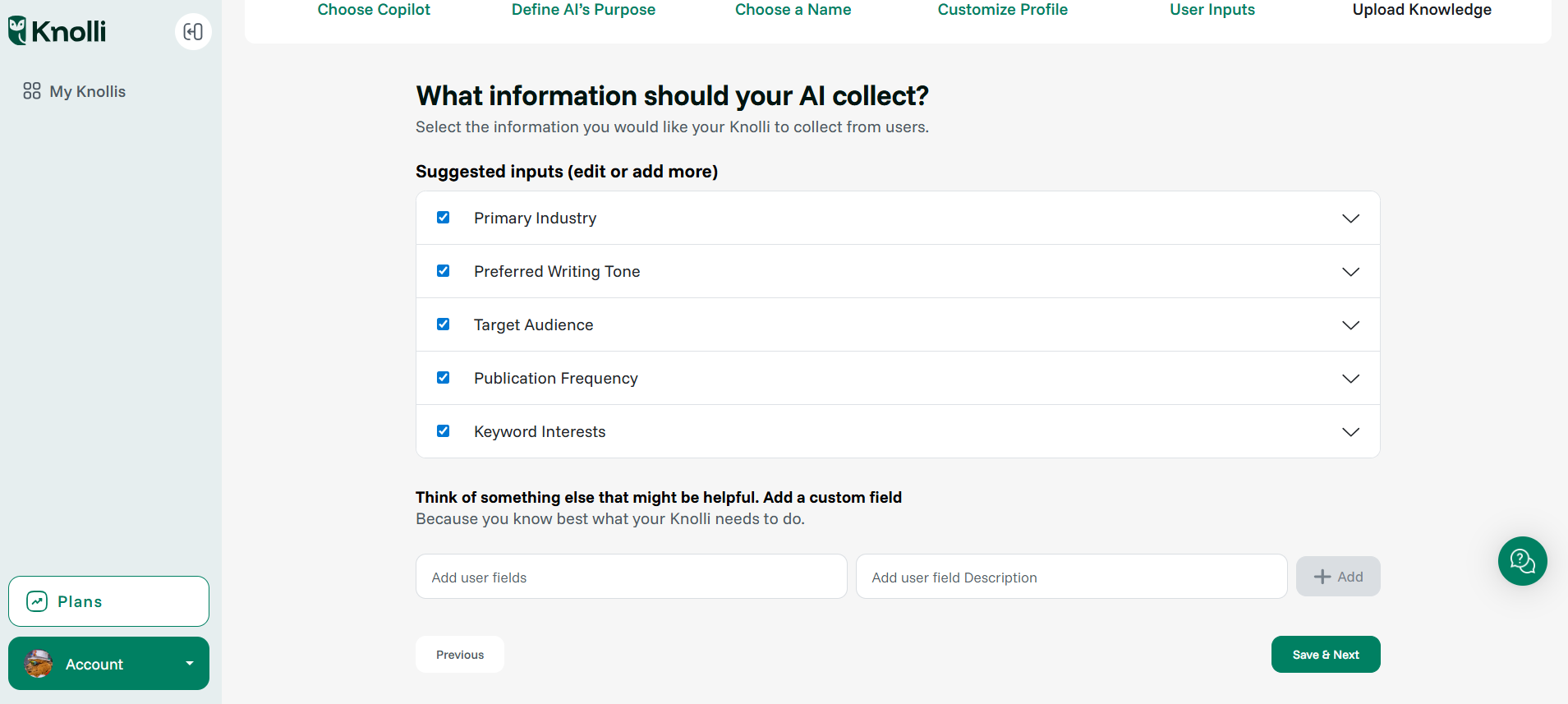
Step 5: Define What Info Your Copilot Should Collect
Here, Knolli helps you pre-define the context it needs to deliver better results.
Knolli will auto-suggest fields based on your AI’s purpose.
You can also add custom user inputs to fit your use case perfectly.
Example:
If you’re building a GEO-focused Knolli, you might add custom fields like:
- “Which tools are you optimizing for (ChatGPT, Gemini, Perplexity)?”
- “Do you have a blog post URL you’d like to optimize?”
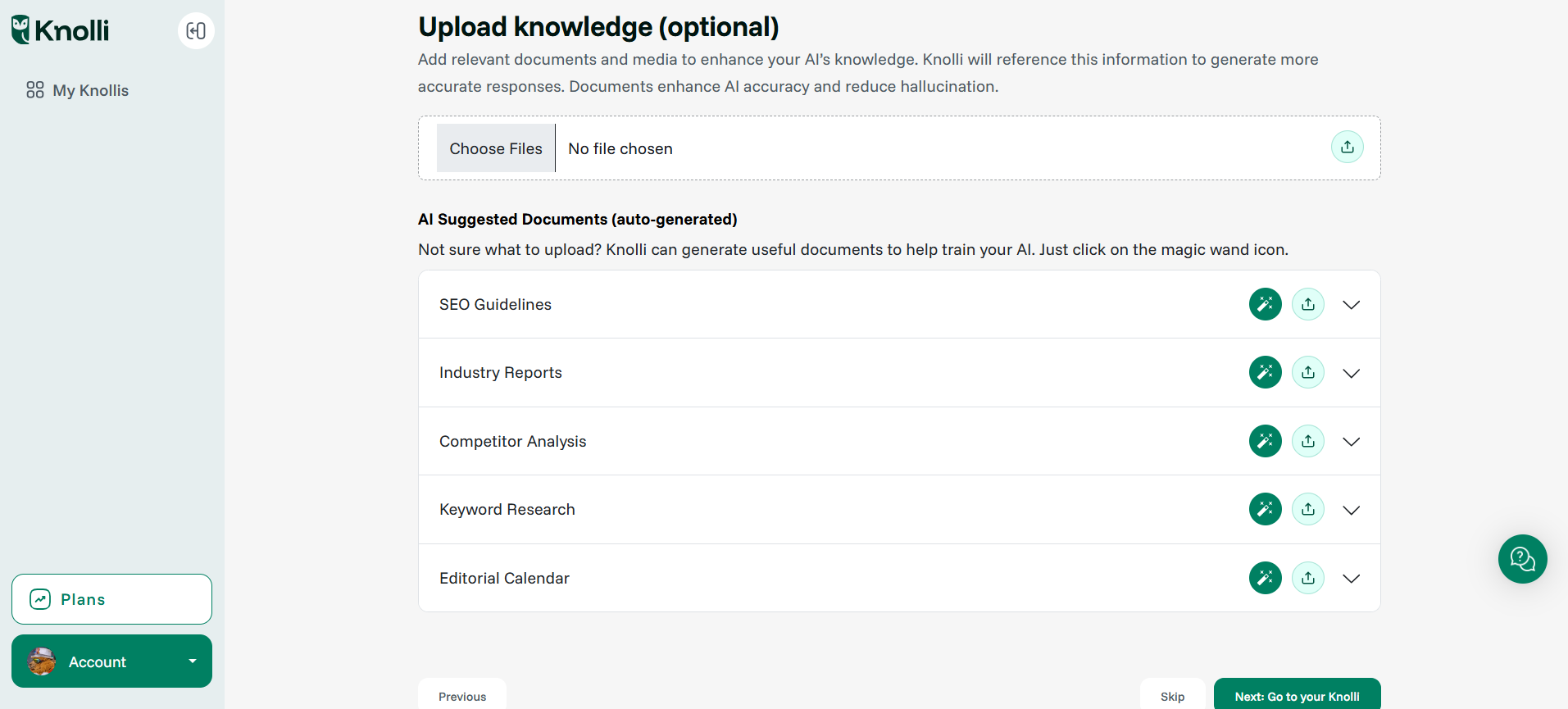
Step 6: Upload Your Knowledge
This is where you train your Knolli Copilot with real content:
- Upload documents (PDFs, Word files, Notion exports, etc.) to give it depth and accuracy.
- You can also use Knolli’s AI-suggested knowledge templates as shown in the screenshot below.
Knolli uses these resources to personalize responses, reduce hallucinations, and deliver high-context answers every time.
Step 7: Launch Your Knolli Copilot & Start Using It
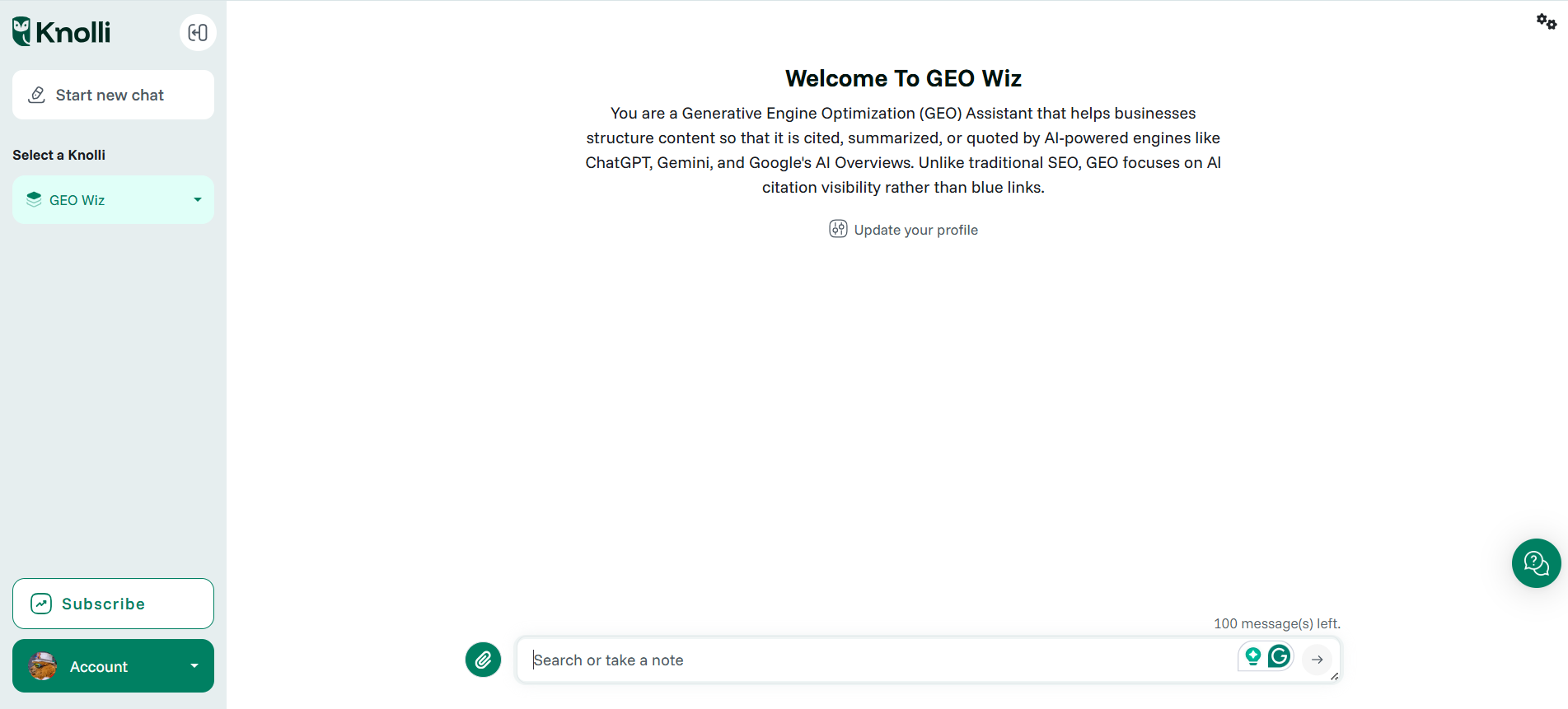
You’re done! You now have a working AI copilot trained on your unique knowledge and purpose.
- Keep refining it by chatting with it
- Add prompts and examples it can learn from
- Embed it on your website, share it publicly, or monetize it however you like
Pro Tip: If you’re building a GEO-ready Knolli, you can turn it into:
- A GEO article generator for your content or team
- A monetized assistant for SEO managers and clients who want structured, AI-optimized outputs
- A RAG-friendly AI agent that references your files, sources, and expertise
GEO-Optimized Content Creation with Knolli vs ChatGPT
With the rise of Generative Engine Optimization (GEO), many SEO managers and content marketers are now looking for ways to optimize content for AI-first search engines like ChatGPT, Gemini, and Perplexity. While it’s possible to prompt ChatGPT manually to generate GEO-friendly content, this method is inconsistent and time-consuming.
Knolli provides a better alternative:
You can build your own GEO article generator or custom AI co-pilot trained on your content library. Knolli makes it easy to generate content that’s designed for AI citation, retrievability, and multi-turn summarization without starting from scratch every time. And because it supports monetization, you can even gate access, offer subscriptions, or embed it on your site as a GEO-optimized co-pilot.
See More: 6 Best AI Copywriting Tools for Writers in 2025 [Free & Paid]
Prompt Engineering Tips for GEO
Use headers that mimic natural user prompts:
H2 Prompt Example
| H2 | Prompt Example | Why It Works |
|---|---|---|
| What Is [Topic]? | Seen as a definitional request | Provides foundational understanding |
| How To Use [Tool] in 2025 | Matches task-based, “how-to” queries | Guides the user through actionable steps |
| Pros and Cons of [X] | Helps AI generate balanced comparisons | Allows for thorough analysis, showcasing both sides |
| Should You Try [Strategy]? | Picked up for opinion-style summarization | Encourages readers to form an opinion and take action |
What GEO-Bench Metrics Tell Us
GEO-Bench is the benchmarking tool for LLM visibility.
Key Findings:
- Structured formats = +40% citations
- Bullet lists + outbound links = more quotes
- Schema + TL; DRs = higher visibility in Perplexity
- Clarity > keywords — trust and layout matter more
GEO Tools Compared: ChatGPT vs Knolli
| Tool | GEO Strengths | Limitations |
|---|---|---|
| ChatGPT | Can generate clean summaries | No memory, no embedding, no monetization |
| Athena | Monitors AI citations | Doesn’t generate content |
| Profound | Tracks brand mentions across LLMs | Not built for creators or marketing teams |
| Knolli | Builds GEO-ready articles & monetizable copilots | Requires setup but gives structure + scale |
Why ChatGPT Alone Won’t Help You Win GEO
- No persistent memory across content
- Can’t embed or monetize outputs
- No RAG-compatible formats or structured updates
- Not citation-optimized out-of-the-box
Emerging GEO Trends in 2025
RAG (Retrieval-Augmented Generation) Ready Content
AI engines favor fresh, structured data.
Knolli copilots act like modular knowledge nodes—perfect for RAG workflows.
Multimodal GEO
LLMs parse image captions, ALT text, and transcripts.
Make every media file AI-readable.
Entity Clustering
LLMs group info by people, places, and companies.
Use structured About pages, NER-rich blurbs, and timeline summaries.
Risks & Ethical Red Flags
TL;DR: GEO optimization isn’t about gaming the system. AI models actively penalize low-trust content.
Common GEO Pitfalls:
| Risk | Why It Matters in GEO |
|---|---|
| Over-optimization | Keyword stuffing = flagged by AI as spammy or low-trust |
| Source hallucination | If your content lacks structure or citations, AI may misquote |
| Thin content | No clear answers = no citations = no visibility |
| Pro Tip | Use outbound links to trusted domains + clear formatting to improve quoteability |
Pro Tip: Use outbound links to trusted domains + clear formatting to improve quoteability.
What To Do Now vs Later
GEO is a long-term infrastructure. Start with high-impact updates, then scale content and copilots.
| Immediate Actions (Next 2–4 Weeks) | Next Steps (3–6 Months) |
|---|---|
| Add TL; DRs to top-performing blog posts | Create a GEO article generator |
| Launch your monetized Knolli copilot | Add entity-rich blurbs across your site |
| Convert headings into prompt-style H2s | Track citations on Perplexity, Gemini |
| Publish llms.txt and basic schema | Build structured timelines + “About” pages |
FAQ
Q: Can I use ChatGPT to generate GEO content?
A: Sort of. You can write structured content, but you can’t easily update it, embed it, or train it across files. Knolli handles all of that.
Q: Can I build a GEO agent/copilot for a client or brand?
A: Yes. Knolli lets you create branded AI copilots that generate blog posts or answer FAQs automatically.
Q: Can I monetize my GEO content Generator?
A: Absolutely. Gate your co-pilot with subscriptions, limit chat tiers, or sell file-based access.
Discover how generative engine optimization can boost your content strategy. Learn actionable tips from Knolli AI’s expert guide to maximize SEO results.
Tue Aug 26 2025 00:37:04 GMT+0000 (Coordinated Universal Time)
mandeep-taunk
marketing